Themeable Interactive Demo

Employer
bridge21
Project Type
Technologies
FigmaReactNext.jsTailwind CSS

A customizable interactive prototype for requesting and managing remittance quotes. The site allows users to demo the experience of sending or accepting money.

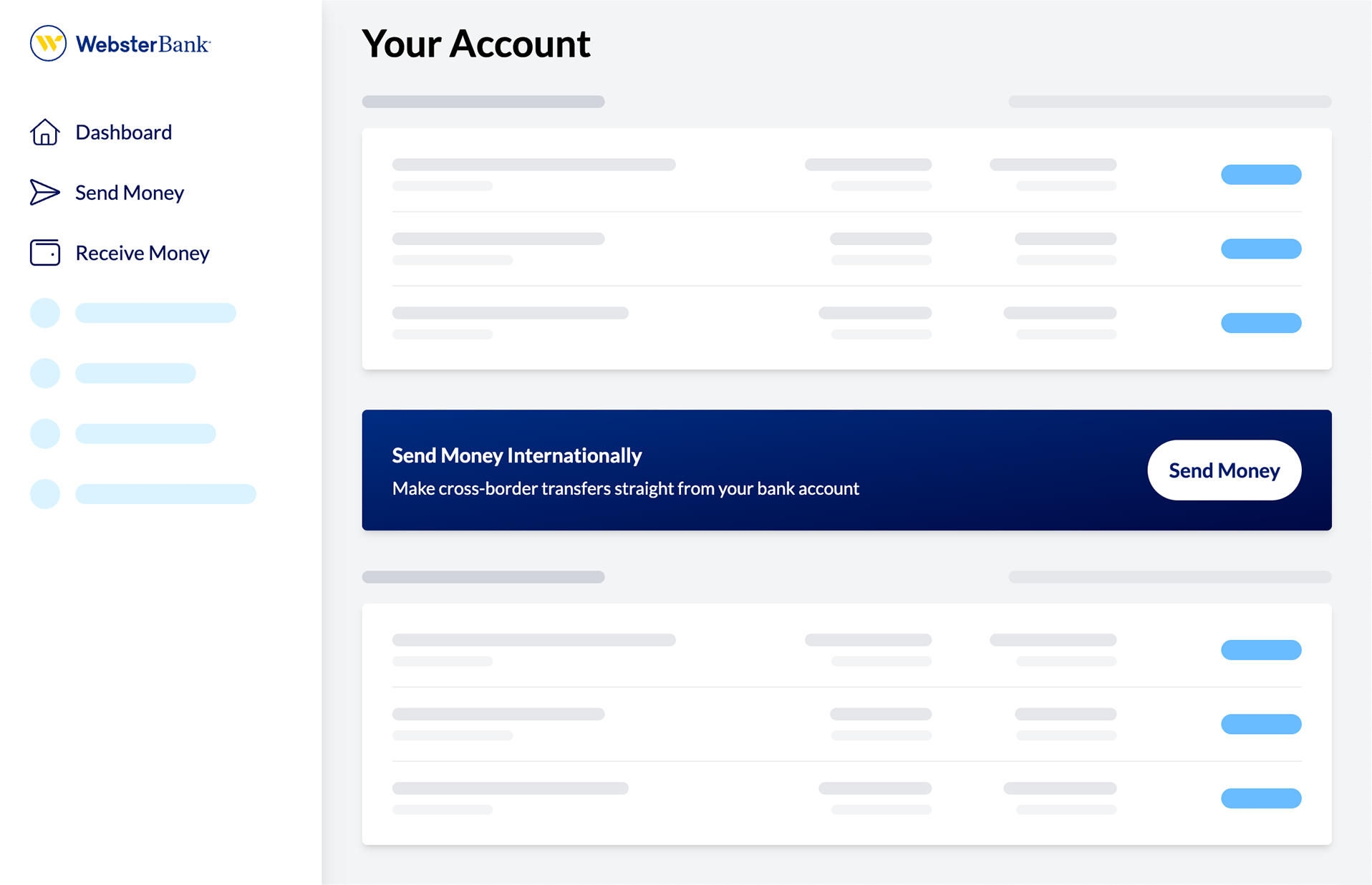
White-label banking is a common practice in the financial industry, allowing companies to offer services under their own brand while using a third-party platform. This prototype demonstrates how a company can easily customize the look and feel of a banking service to match their brand identity. Ahead of a meeting, the bridge21 team could add the logo and colors for the banking client in order to make the service seem more real — and also already a part of their brand.

This was initially created as a Figma document, but later became a standalone website to be used in banking presentations.

For more context, check out the bridge21 case study.

View the live demo

Themed Interfaces

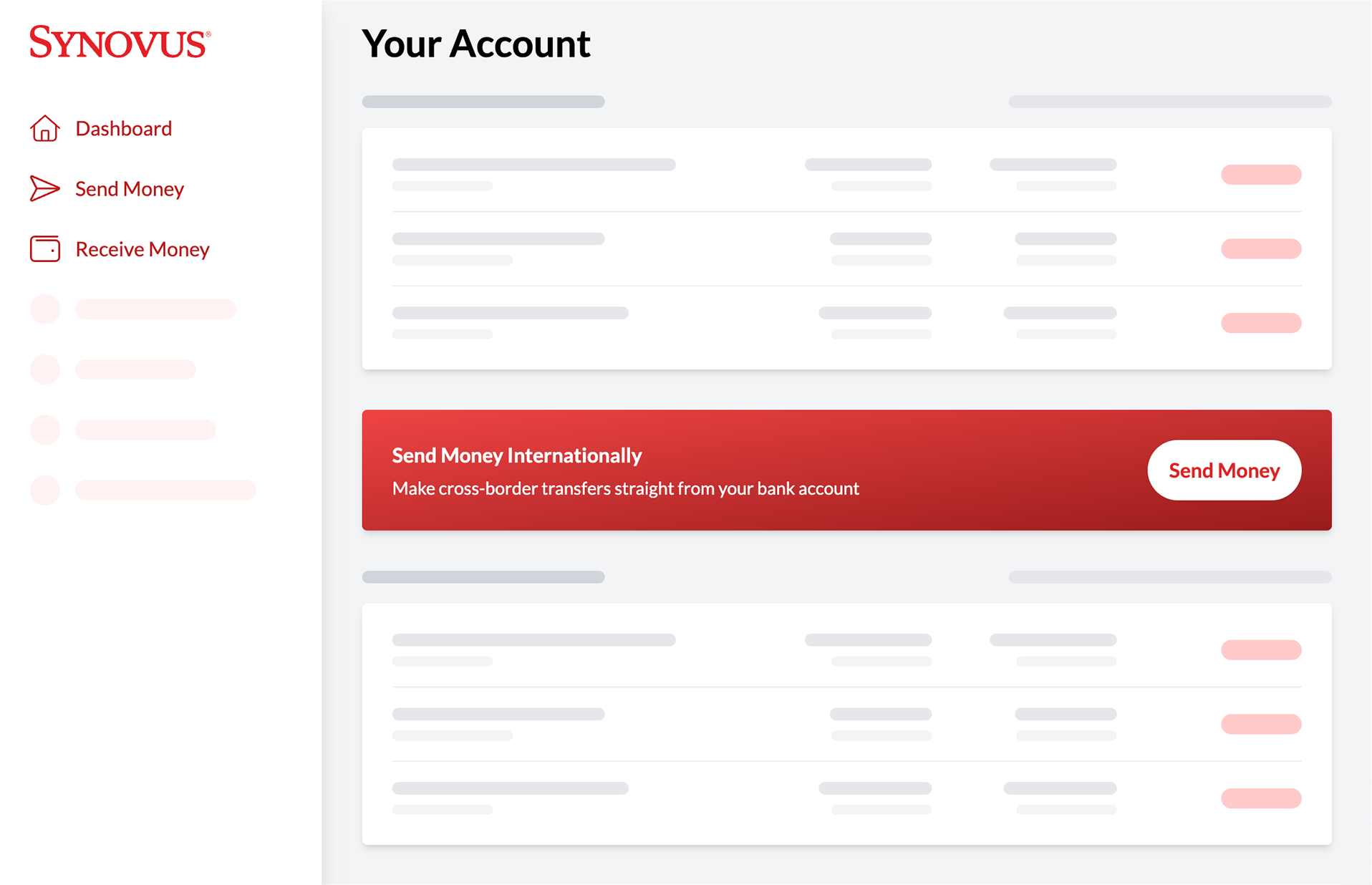
Screenshot of the themeable prototype in a red color scheme. The company's logo is in a lefthand sidebar and the right content area displays a group of cards titled 'Your Account'. In between placeholder white cards is a large red card with a headline, subheading, and call-to-action button.
Screenshot of the themeable prototype in a blue color scheme. The company's logo is in a lefthand sidebar and the right content area displays a group of cards titled 'Your Account'. In between placeholder white cards is a large blue card with a headline, subheading, and call-to-action button.

Sending Money

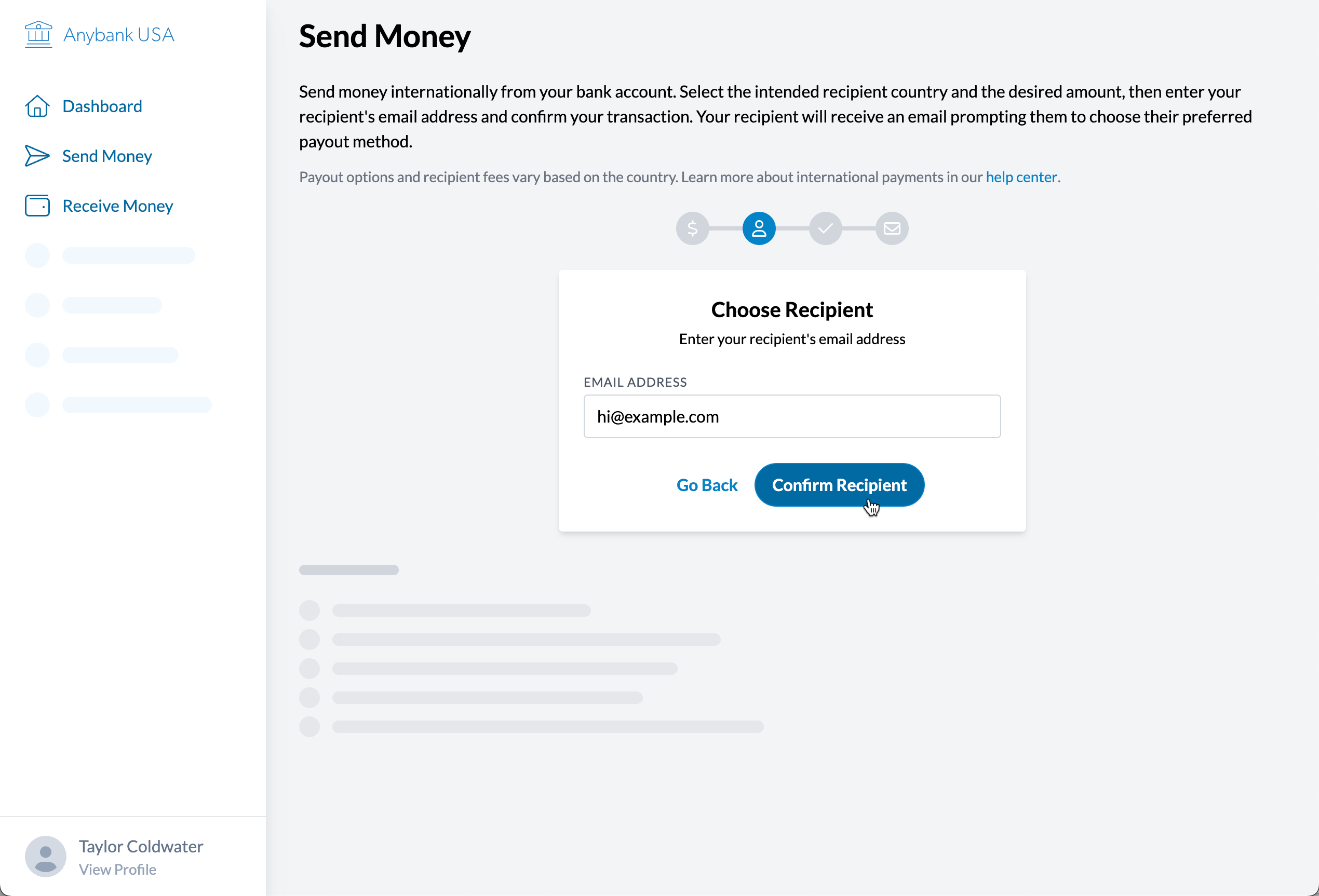
Sending money requires the selection of a currency, and then an exchange rate quote is generated. The user can then enter the recipient's email address and confirm the details before submitting the transfer. The sender does not have to know anything about the recipient's preferred payout method or details; that is all configured on the receiving end.
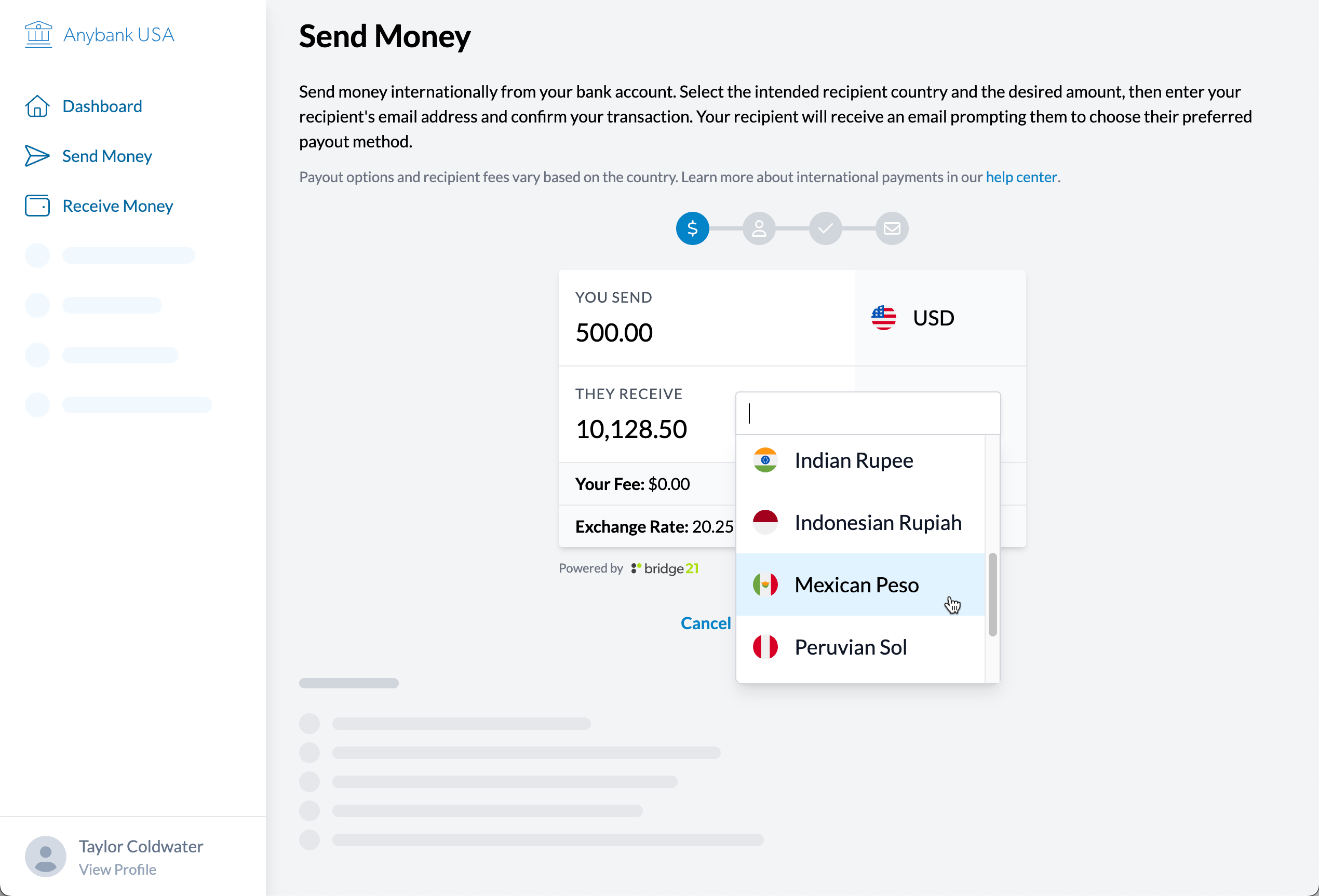
Screenshot of the prototype at the first step of sending money. The user is prompted to enter the amount they want to send and select the destination currency.
Screenshot of the prototype at the second step of sending money. The user is prompted to enter the recipient's contact information.
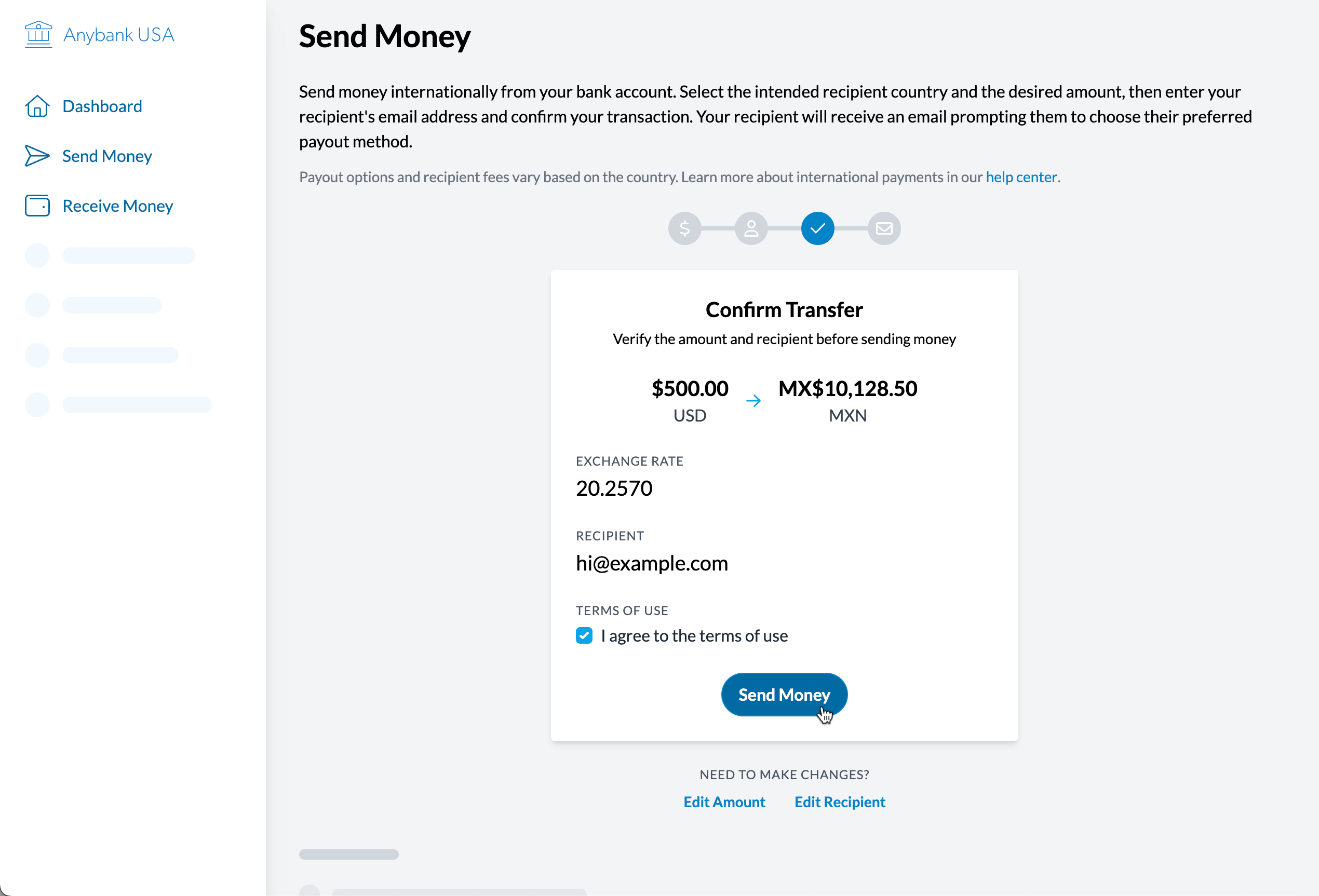
Screenshot of the prototype at the third step of sending money. The user is prompted to confirm the transfer and contact details.
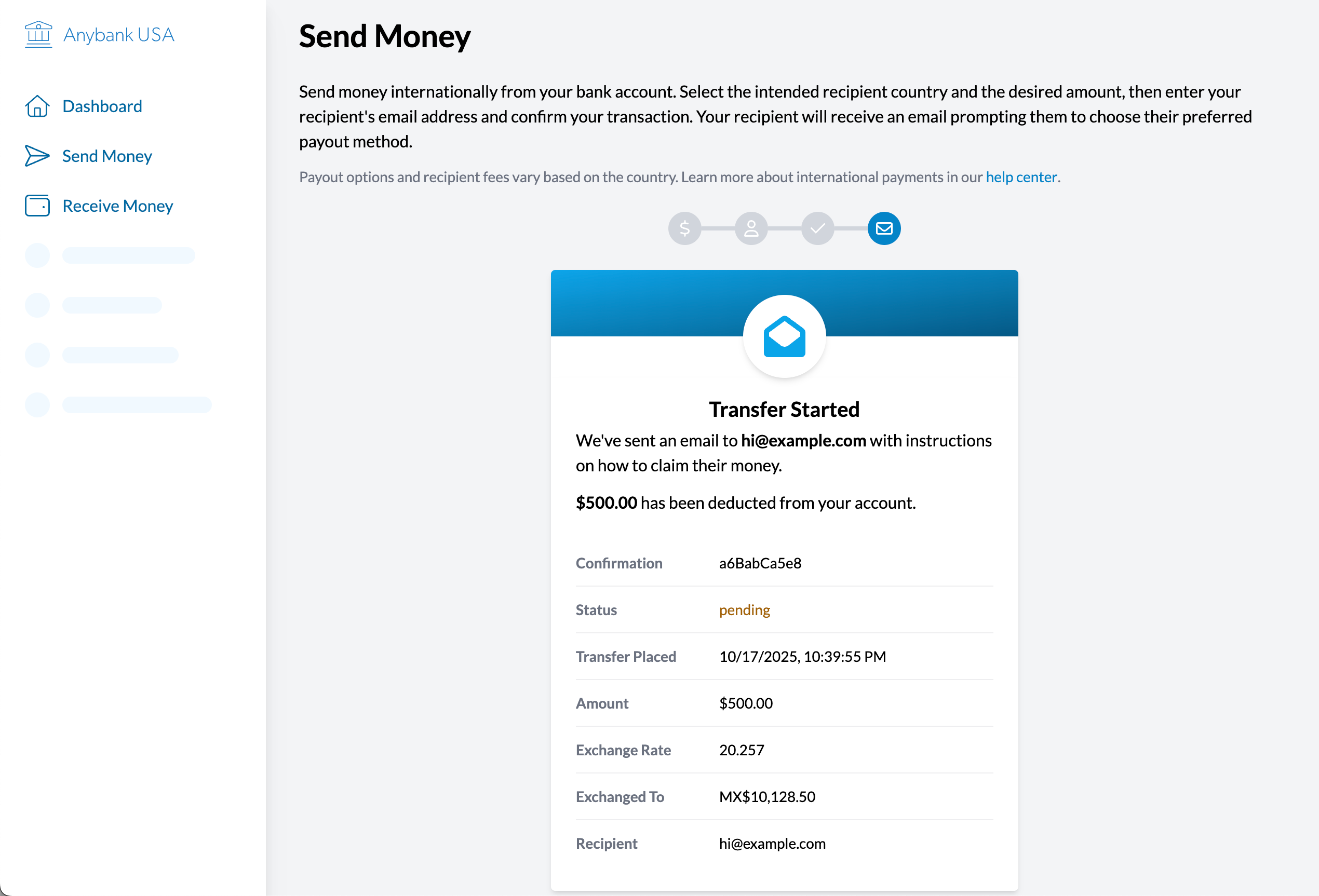
Screenshot of the prototype at the final step of sending money. The user sees a confirmation message that the transfer was successful, along with the transfer details.

Receiving Money

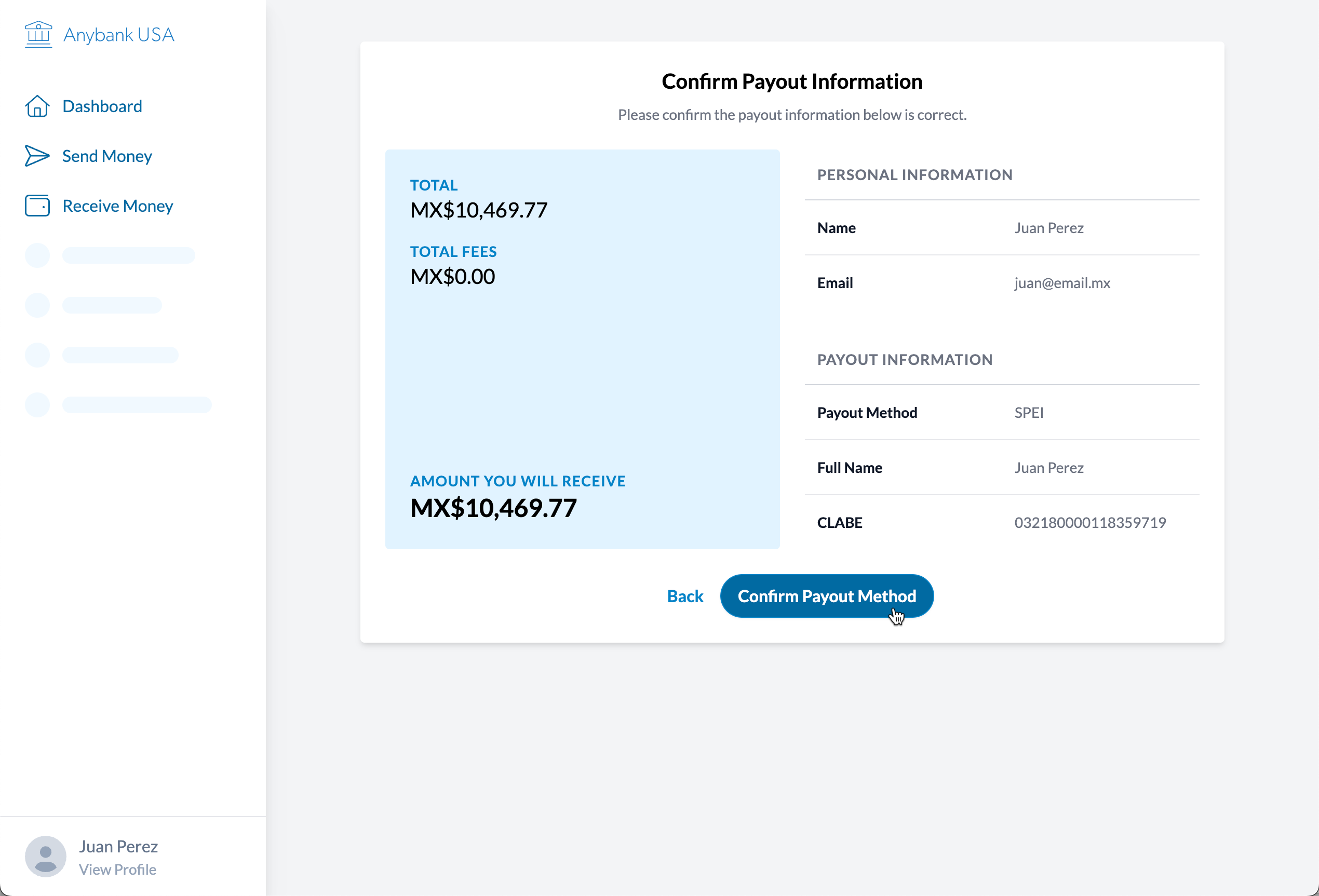
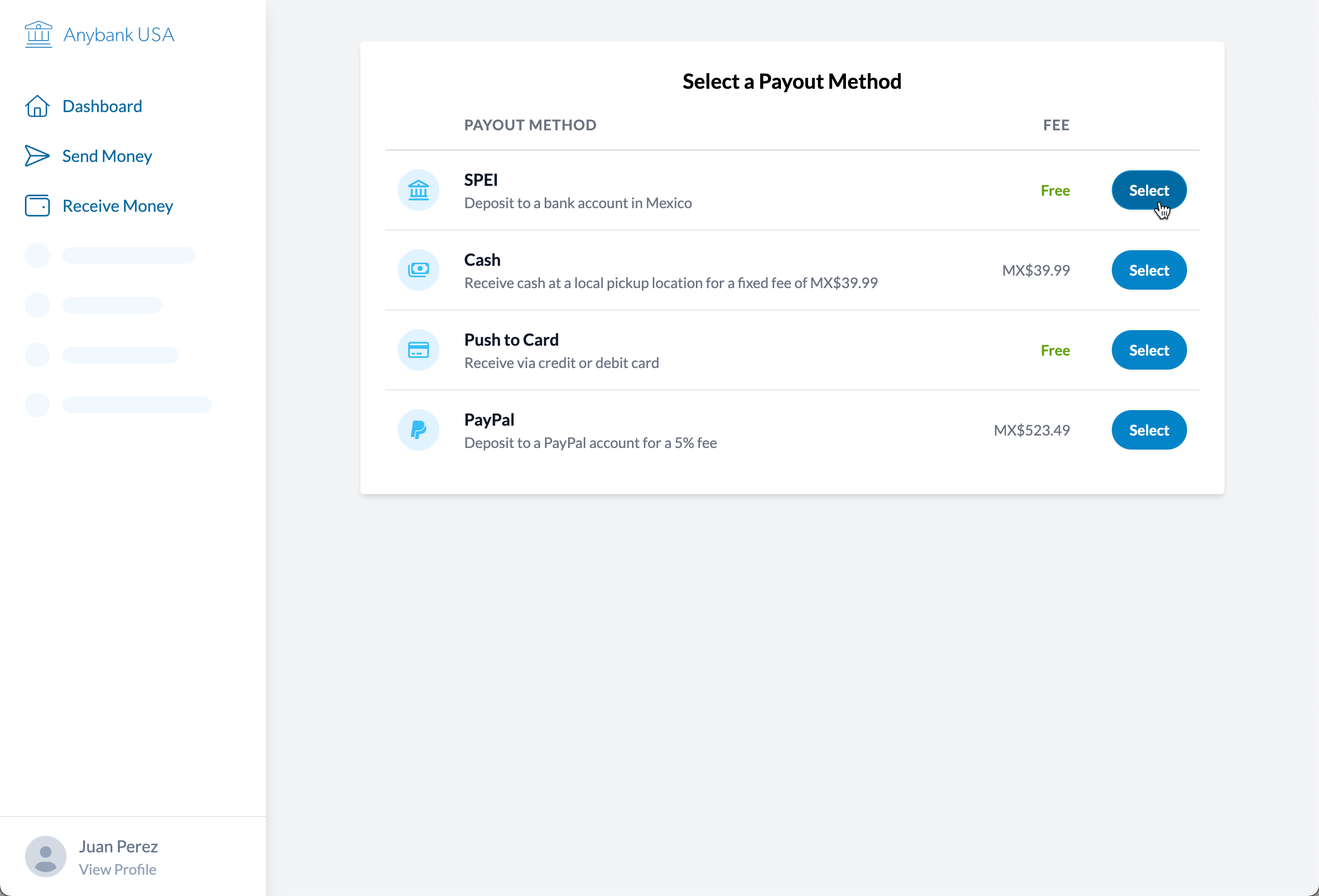
After verifying their email address, the recipient can claim the transaction and select their preferred payout method: bank transfer, cash pickup, credit or debit card deposit, or a PayPal transfer. Fees vary based on the chosen payout method. The recipient enters their payout details and confirms the transfer before submitting the request to receive the funds.
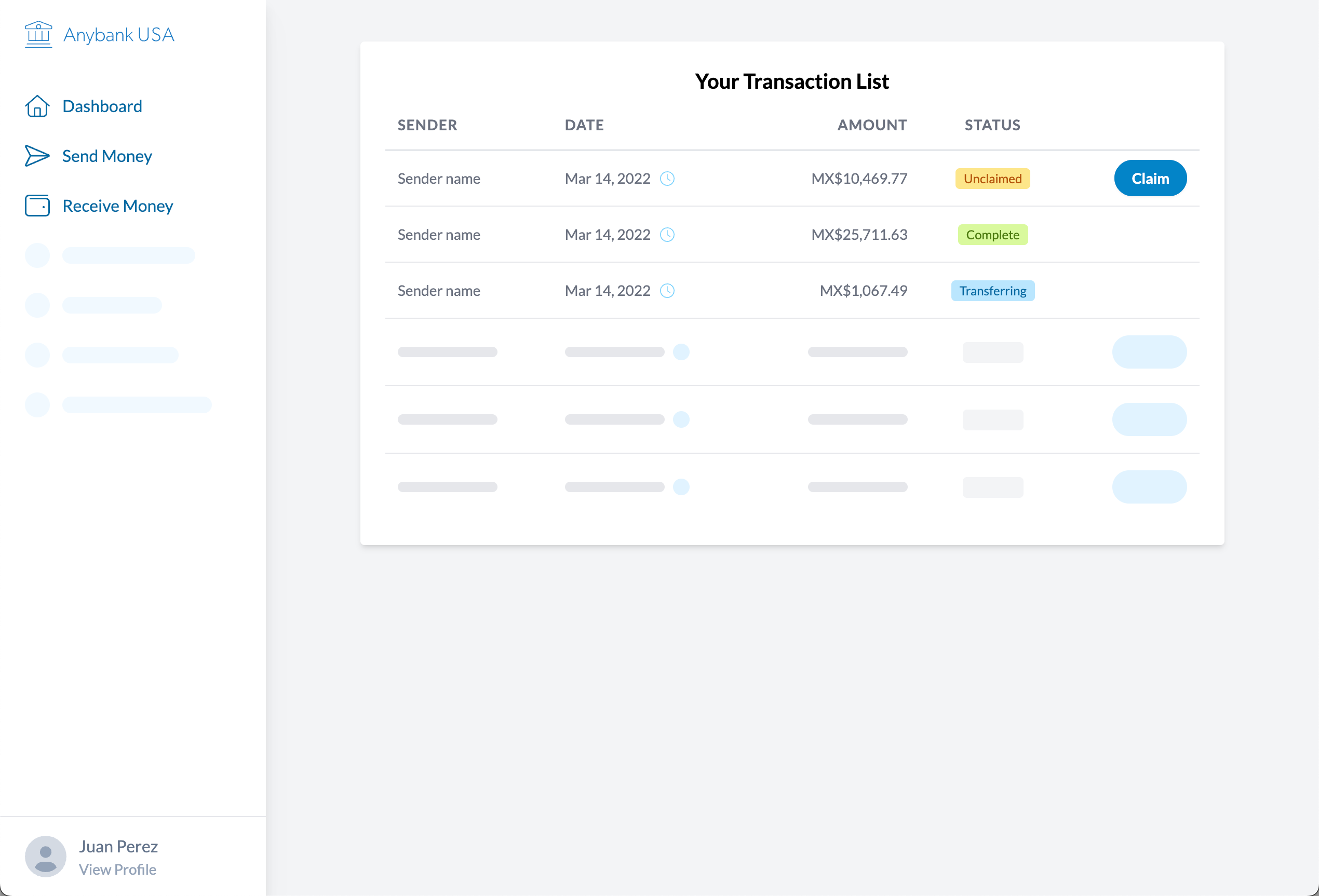
Screenshot of the prototype at the first step of receiving money. The user is prompted to claim a transaction in the transaction table. Additional rows show transferring and completed transactions.
Screenshot of the prototype at the second step of receiving money. The user is prompted to select a payout method.
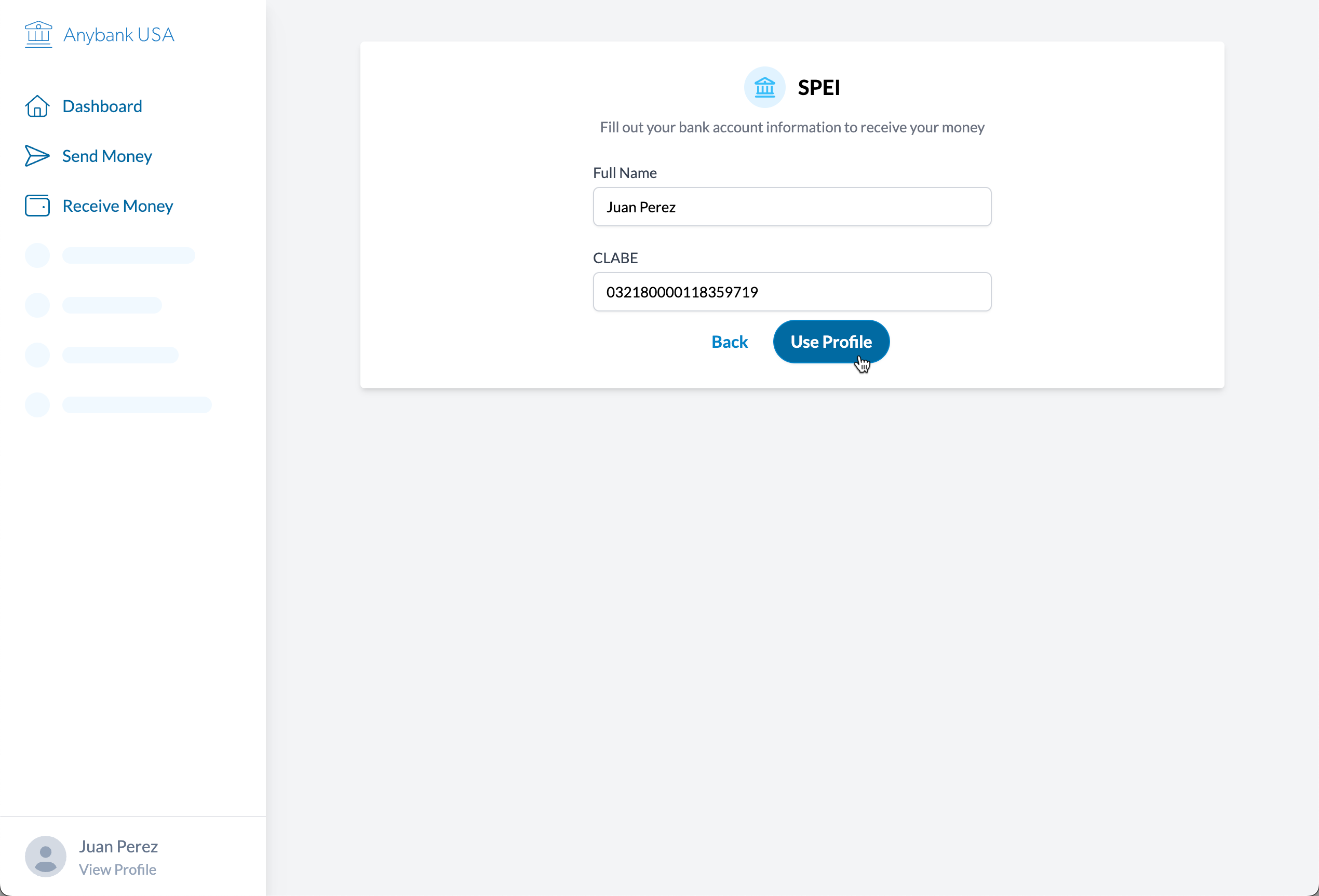
Screenshot of the prototype at the third step of receiving money. The user is prompted to enter their payout details.
Screenshot of the prototype at the final step of receiving money. The user sees a confirmation screen with all of the transaction details.